 PrivateFamily
Encrypted on your phone
Every photo and video is encrypted before it even leaves your device: what gets sent is already encrypted.
A service by LeCloudPrive.fr
PrivateFamily is your family's private photo album: end-to-end encrypted, no email, no phone number, no ads. Only the relatives you invite can access the album.


No email, no phone number No ads, ever End-to-end encrypted
The promise
Every photo and video is encrypted before it even leaves your device: what gets sent is already encrypted.
No email, no password, no phone number. A first name to create a family, a single-use code to join one.
No public feed, no recommendations, no AI training on your photos. Nothing to sell, and nothing for sale.
What the app does
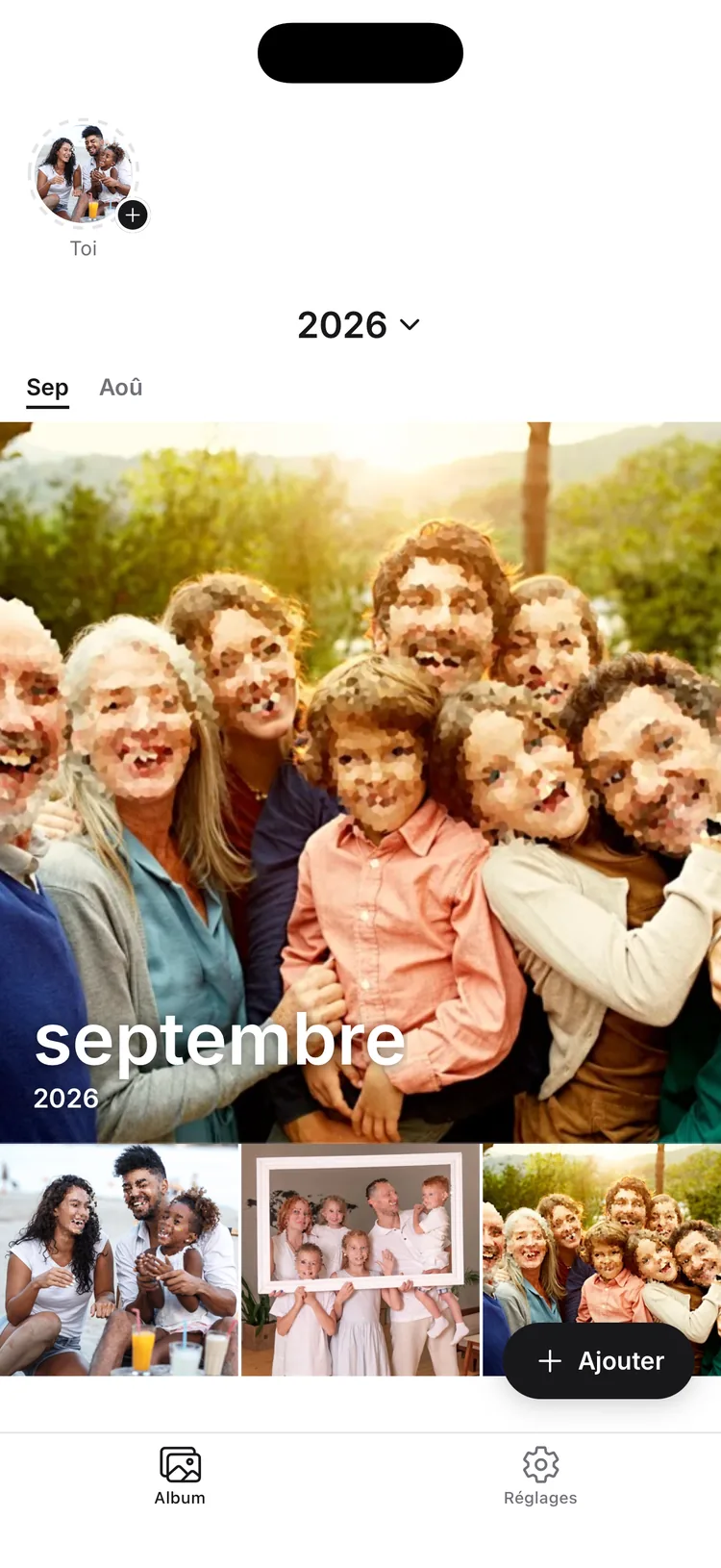
Timeline
Photos and videos organize themselves automatically by month and year. Find any memory in seconds, without ever having to sort them yourself.
24-hour stories
A photo or video stays visible for 24 hours, then is deleted for good — file included. Perfect for the small moments that don't need a place in the permanent album.

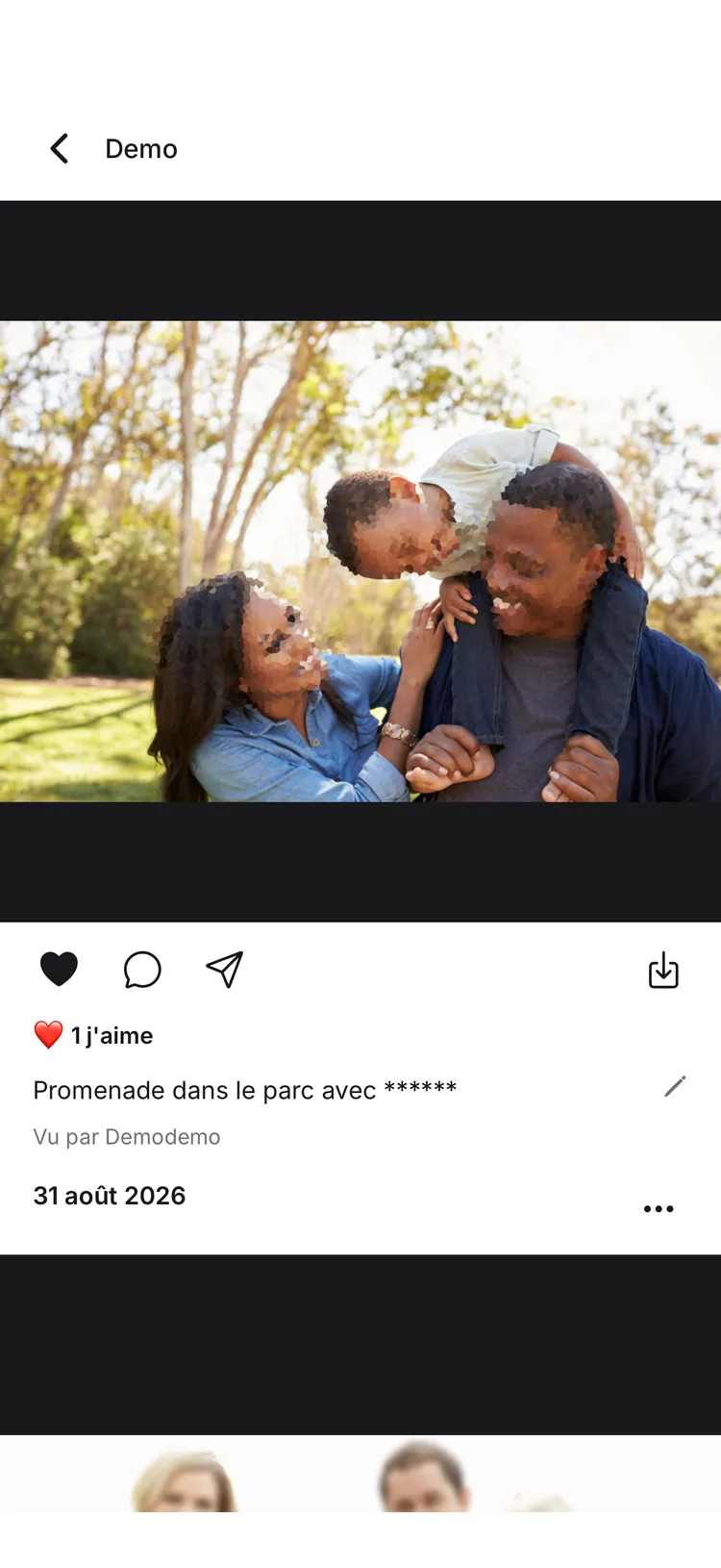
Comments & reactions
An emoji, a comment, a list of who's already seen the photo: enough to stay close, even from a distance — without ever leaving the family circle.
Height, weight, milestones ("first step," "first word"...): track each child's growth. Their age is shown automatically on every one of their photos.
Admin, co-admin, or viewer: every member gets precise permissions (view, download, react, comment). Designed to be simple, even for grandparents who aren't comfortable with technology.
Privacy and encryption
The content (photos, videos, captions, comments, first names) is end-to-end encrypted. Here's how, explained twice — simply, then in detail — along with the known limits.
Imagine a safe locked with a family key. Your photos are locked inside that safe directly on your phone, before they're even sent. The server stores the locked safe.
When someone you invite joins the family, a copy of the key reaches them in a sealed envelope locked with an invitation secret, which they open on their phone. Known limit: when an invitation is created, the server temporarily keeps that secret and the envelope. A fix is in progress.
Authenticated encryption with XChaCha20-Poly1305 (react-native-libsodium), a 256-bit family key generated on the device, never derived from a password. Files are encrypted in 1 MiB blocks, with a unique nonce per block.
Keychain (iOS) / Keystore (Android), never transmitted in plaintextOriginals and thumbnails, encrypted on the device before upload.
End-to-end encrypted since August 31, 2026, with the same key as your photos: captions, comments, children's first names and birthdates, growth notes, family and member names, reactions.
Full detail — including the metadata that stays unencrypted for technical reasons and the known limit on invitations — is on our dedicated encryption page. To understand the principle in general, and check it on any service, read Le Cloud Privé's guide to end-to-end encryption (in French).
Compared to other solutions
Verifiable facts, not accusations. Each row is based on each service's public terms of use or pricing, as of August 2026.
| Feature | Google Photos | FamilyAlbum1 | MemoFamille2 | PrivateFamily |
|---|---|---|---|---|
| Price | Free (15 GB shared), then €1.99/month | Free, unlimited storage; Premium from €2.99 to €10.49/month4 | €4.99 to €5.99/month | Free: 10 photos per month, no video; Premium €4.99/month |
| Email or phone number required | Yes, a full Google account | Yes, to sign in and recover your account | Yes | No — a first name is enough |
| End-to-end encryption | No | No | No | Yes, for the content — photos, videos, captions, comments, first names and child profiles5 |
| What the terms of service allow with your photos | Broad license: hosting, service improvement, AI models3 | Hosting the service only | Hosting the service only (GDPR, AWS Paris) | Nothing — no license on your photos, no analysis, no AI training |
| Advertising | Google's advertising ecosystem | Third-party ads in the free tier4, removed with Premium | None | None |
1 FamilyAlbum (MIXI, Inc.). 2 MemoFamille, hosted in France (AWS Paris). 3 Google's terms updated July 30, 2026: Photos content may feed summaries and inferences used to train models. 4 FamilyAlbum Premium: €2.99/month (individual) to €10.49/month (Family Pro); third-party ads added to the free tier in late 2025, removed with Premium — source. 5 Still readable server-side, for technical reasons: capture date, file size and dimensions, who sent, viewed or reacted, login identifier, numeric growth values — details. Comparison updated September 6, 2026 from each service's public pricing and terms of use — these policies change over time, and the official documents take precedence. Spot an error? contact@lecloudprive.fr. Detailed comparison with Google Photos → · Detailed comparison with FamilyAlbum → · Full comparison →
Pricing
Every feature is available from day one. Premium does just one thing: it lifts the limits (10 photos per month, no video).
Free
€0
Premium
€4.99/month
No credit card required for the free plan. Premium payment happens in the app, at launch.
Frequently asked questions
Yes: 10 photos per month per family, no video — no time limit, no credit card required. Premium (€4.99/month, no commitment) lifts these limits: unlimited photos and videos included.
No. Creating a family only requires a first and last name. Joining a family is done with a single-use invitation code. There's no password either.
In the app, only the people you invite, one by one, with a single-use code. There's no public feed, no search, and no recommendations.
Your photos and videos are encrypted on your phone before they're sent, with a family key generated on your device. The server stores the content in encrypted form. Full details, known limits included →
Another admin or co-admin of the family can restore your access. If you're on your own, a 12-word recovery phrase — given once, at creation — lets you recover everything.
No, PrivateFamily is a mobile app (iOS and Android). There is no web version for viewing photos today.
Yes, with no commitment and no notice period. Your photos remain accessible; after cancellation you go back to the free plan (10 photos per month, no video).
Ready to try it?
Free: 10 photos per month. Two minutes to create your family.
In practice
Three steps, no sign-up
No forms, no email verification, no waiting around. The whole family can be connected in under two minutes.
Create your family
A first name and a last name — that's it. The app immediately generates a recovery phrase for you to keep somewhere safe.
Invite your family
Send a code or a link by text, WhatsApp, or email. Each code works only once, for one person.
Share your memories
Photos and videos you send appear, sorted by month, for every invited member of your family.